Who it is for · ·
Clean Web Clipper, an Obsidian web clipper with no plugin
Clean Web Clipper is an Obsidian web clipper, independent of the official Obsidian Web Clipper, that writes the .md file into your vault through the browser’s File System Access API. There is no community plugin, no local REST server and no obsidian:// link, and Obsidian does not have to be running for the note to arrive.
Why is saving into a vault the hard part?
Getting a web page into a vault usually means a chain of moving parts: a community plugin to install and keep updated, a local REST API listening on a port, or an obsidian:// URL that only fires when the app is already open. Each link breaks on its own schedule – after an app update, after a plugin author moves on, after a browser tightens what a custom protocol may do.
The other half of the problem is what arrives. A clip full of the site’s navigation is not a note; it is a cleanup task you have deferred. Add a filename that is the raw page title with a slash in it, and frontmatter that says nothing about where the text came from, and a month later the vault holds material you no longer trust enough to quote.
The filename is a decision you only get to make once, and most people make it by accident. Obsidian links by filename, so every [[wikilink]] you write to a clipped note breaks the day you rename it – and a note called Home or Untitled 4 is going to be renamed. Setting a template before the first clip, rather than after two hundred, is the difference between a vault you can link into and a folder you only ever search.
What does saving into the vault actually do?
- No plugin, no local server, no
obsidian://links – the browser writes the file into the folder you granted. - Obsidian does not need to be open. The note is simply there the next time it is.
- YAML frontmatter with
title,source,author,dateandextraction– and you pick which of those to keep. - A filename template with
{title},{date}and{domain}, plus a subfolder inside the vault. - Per-site rules can send discussion threads to one folder and documentation to another, automatically.
- A name collision gets a numeric suffix: an existing file is not overwritten, and the new one becomes
Note-2.md(a browser without a folder picker saves through Downloads, which adds “(1)” instead). - The frontmatter is ordinary YAML, so Obsidian’s Properties panel shows
sourceas a clickable link anddateas a date rather than as text. - Writing is one-way. Chrome grants read and write access to the folder, but the extension only adds files: it does not open or read the notes already in it and only checks whether a file name is taken.
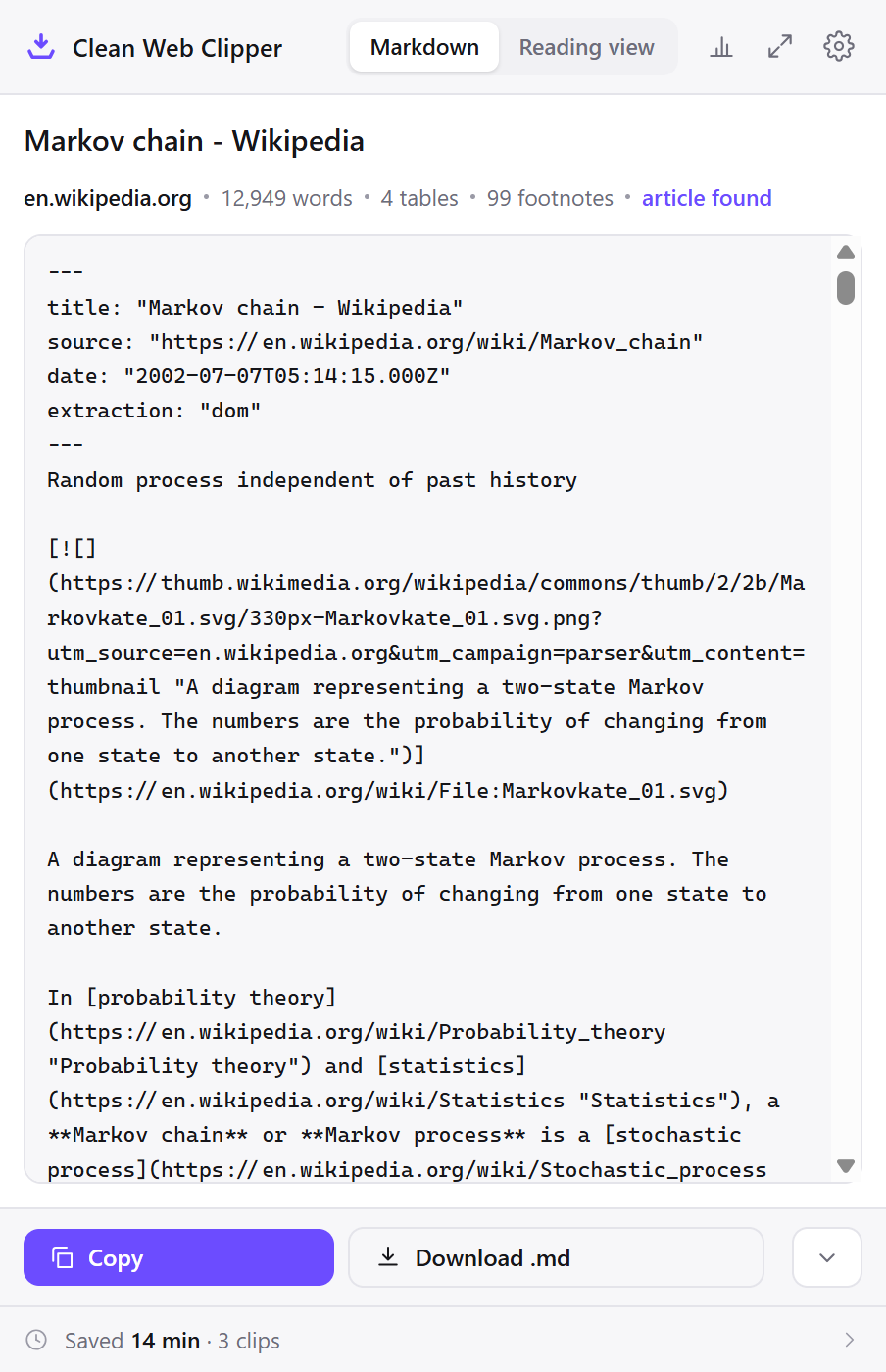
---
title: "Zettelkasten - Wikipedia"
source: "https://en.wikipedia.org/wiki/Zettelkasten"
date: "2020-05-31T10:44:14.000Z"
extraction: "dom"
---
Knowledge management and note-taking method

"Card file" redirects here. For the use of cards in library cataloguing, see [Card catalog](https://en.wikipedia.org/wiki/Card_catalog "Card catalog"). For the Microsoft application, see [Cardfile](https://en.wikipedia.org/wiki/Cardfile "Cardfile"). For the rotating device used to store information, see [Rolodex](https://en.wikipedia.org/wiki/Rolodex "Rolodex").
…
Point it at your vault
The whole setup is one folder grant and three settings. Do it before the first clip – the filename template in particular is much cheaper to choose now than to change later.
- In Obsidian, create the folder you want clips to live in –
Clippingsis the usual choice. Creating it in Obsidian first makes sure the folder sits inside the vault. - Right-click the extension icon, choose Options, and in Where to save, next to Folder inside the Obsidian vault, press Choose… and pick your vault. Then set Subfolder inside the vault to
Clippings. - Chrome asks whether the extension may edit files in that folder. Allow it. If Chrome resets the grant, the settings say “access was not granted, choose again” and ask you to pick the folder again. Nothing outside the folder is reachable. A browser that cannot pick a folder saves notes to Downloads/Obsidian instead.
- Set the filename template to
{date}-{title}. Obsidian sorts a folder by name, so a dated prefix makes the folder chronological without a plugin.{date}is the publication date when the page declares one and the day you clipped when it does not. - In What goes into the note → Properties, turn on the fields you want:
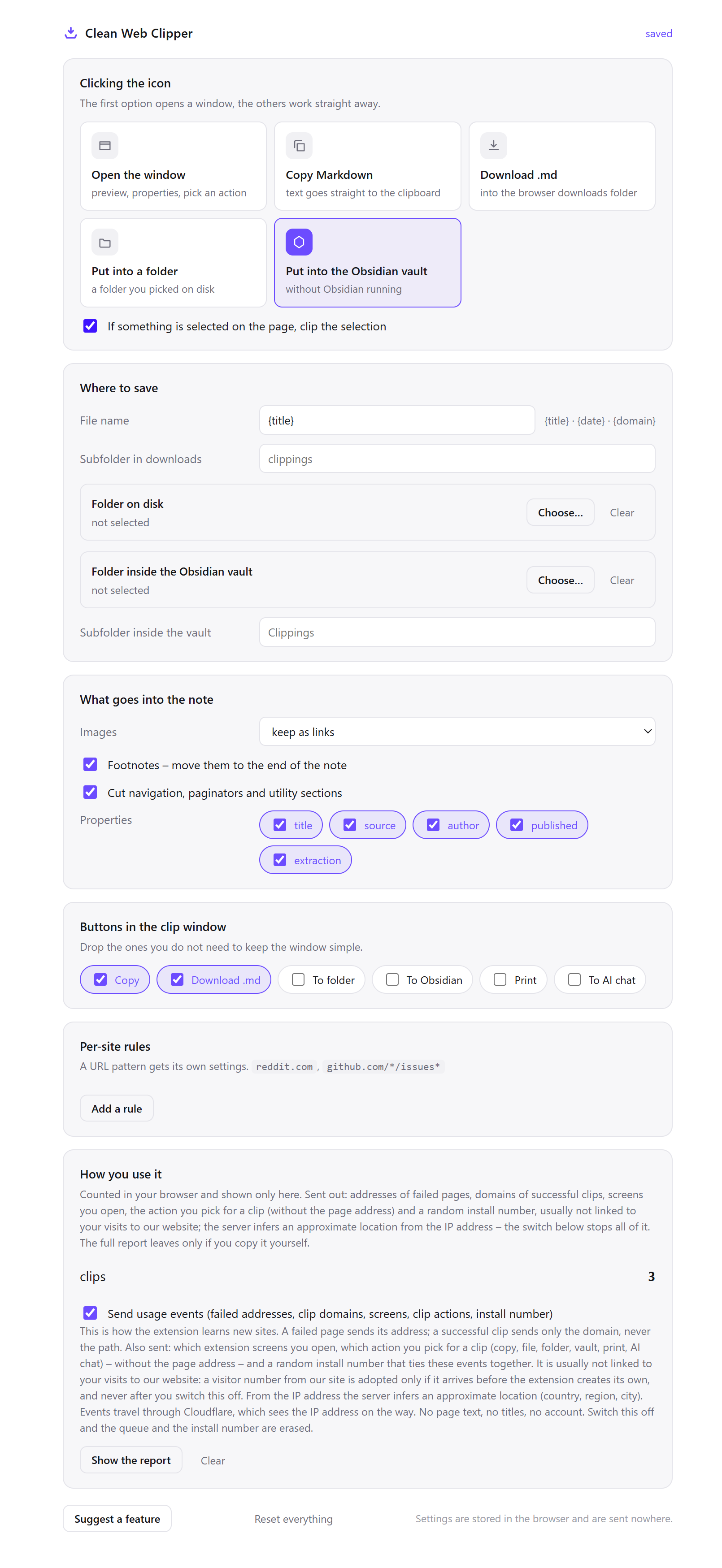
title,source,author,publishedandextraction(publishedis written to the file as itsdateline). All five render in Obsidian’s Properties panel, andsourcebecomes a clickable link back to the page. - Set what the icon click does to “Put into the Obsidian vault”, so a clip opens no window at all – one keystroke, one file.
- Add per-site rules for the sites you clip most – a URL pattern gets its own subfolder, so discussion threads and documentation stop landing in the same pile.
Which settings suit a vault?
For a vault, Clean Web Clipper is best set up on the assumption that the vault is your main note store rather than a scratch folder – which changes what the filename has to carry and which fields are worth keeping.
| Setting | Value | Why this value here |
|---|---|---|
| Where to save | Folder inside the Obsidian vault | No plugin, no local server, no obsidian:// link that needs the app running |
| Subfolder inside the vault | Clippings | Keeps material you did not write out of the root, where your own notes live |
| Filename template | {date}-{title} | Obsidian sorts by name; a dated prefix makes the folder chronological |
| Properties | All five fields on | The Properties panel renders them; source becomes a link home |
| Icon click | Put into the Obsidian vault | A window you close every time is a window you stop opening |
| Per-site rule | reddit.com → Clippings/threads | Threads are read differently from articles and are worth separating on arrival |
| Images | Keep as links | Vault notes stay small, at the price of needing the network to see pictures |
---
title: "Obsidian for health? - Knowledge management - Obsidian Forum"
source: "https://forum.obsidian.md/t/obsidian-for-health/39050"
date: "2022-06-16T12:27:30.000Z"
extraction: "dom"
---
You have selected **0** posts.

select all

cancel selecting

1 / 15

Jun 2022

## post by robertandrews on Jun 16, 2022

How would/do you use Obsidian for keeping health notes?

This could include:

-   Medical records
-   Appointment summaries
-   Symptoms notes
-   Anything to do with tracking existing or new conditions etc.
…
See three ways it plays out
The vault fills up three ordinary ways: reading clipped before Obsidian is even open, a per-site rule sorting a thread into its own folder with no decision needed, and a plain clip turning into a permanent note once you start writing underneath it. None needs the app running at the moment you clip.
A morning of reading, filed with Obsidian closed
You go through six tabs before the first meeting, pressing Alt+Shift+M on each. Obsidian is not running. The browser writes the files directly through the File System Access API, so there is nothing to be open. No window appears, no dialogue interrupts, and the six pages are .md files in Clippings before you have finished the coffee.
You open the vault at lunchtime and all six are indexed, searchable and showing in the graph. Each one carries the URL it came from, so the tabs can be closed without losing the thread of where anything was found.
A thread that files itself in the right place
You have a rule for reddit.com pointing at Clippings/threads, with the author field switched off because a thread has no single one. You clip a discussion about note-taking workflows. It lands in threads, not in the main pile, with the nested comments as nested blockquotes and each score attached.
The rule matters most for the sites you clip without thinking. Anything you file by hand you eventually stop filing; anything the pattern files stays filed, including the clips you take in a hurry.
A clip that turns into a permanent note
A clipped article sits in Clippings with its source in the header. You write your own thinking underneath it in the same file, link it into a map of content with [[wikilinks]], and the file becomes yours without losing the record of where the raw material came from.
Because the filename was set by template on the first day, those links do not break. Renaming clipped notes to make them linkable is the work the template removes – and it is work that only shows up once the vault is large enough for it to hurt.
How does it compare to the other routes into a vault?
Four common ways get a web page into Obsidian, and each of them works. What differs is how many parts have to keep working.
| How it is done now | What you get | What it costs |
|---|---|---|
| A community plugin | A clip written into the vault | One more thing to install, update and replace when its author moves on |
| A local REST endpoint | Automation from anything that can make a request | A port listening on your machine, and the app has to be running |
An obsidian:// link | A note opened in the app | Fires only when Obsidian is already open, and browsers keep tightening custom protocols |
| Copy and paste into a new note | Text, immediately | The menus come too, and you type the filename and the source by hand |
| Clean Web Clipper | A .md file in the folder you granted | Chrome on a desktop computer only, and it writes files rather than managing your vault |
What if the file is not where you expected?
Three causes cover almost every case: the granted folder sits one level above the vault, the images were always links rather than files, or the page simply declared no publication date. Each can be checked without reinstalling anything. Nothing is overwritten on the way: if a name is already taken, the new file gets a number, as in Article-2.md, and Obsidian does not have to be running for it to appear.
The clip saved, but Obsidian does not show it
Obsidian’s help says it refreshes the vault automatically to keep up with changes made outside the app (Obsidian Help, checked 17 September 2026), so a missing clip usually went somewhere else. If you saved from the clip window, check the path it showed; then check the granted folder in the settings. It is easy to grant the vault’s parent directory instead of the vault itself, in which case the file is a level above and outside the vault entirely.
Chrome is asking for the folder again
The grant belongs to one browser profile. A second profile, an incognito window or a “clear site data” sweep all drop it, and so does moving the vault to a different path. Re-granting takes one dialogue; there is no account behind it that could carry the permission from one machine to another.
The images are broken when I am offline
Images in a clipped note are links, not files. The extension downloads no binary assets, so a note in the vault points at the pictures on the original site and shows nothing without a connection – and shows nothing ever if the site removes them. If a note has to be self-contained, save the images yourself or set images to “skip” so the note does not promise pictures it cannot show.
There is no date property
The page declared no publication date in its markup. The note gets no date property rather than one filled with the day you clipped, because a wrong date in the Properties panel sorts, filters and misleads exactly like a right one. {date} in the filename template follows the same rule: the publication date when the page declared one, and the day you clipped when it did not – so for this page the filename carries the clip day.
Where does it stop?
The extension cannot touch anything outside the folder you granted, and it does not read your existing notes – it only checks whether a file name is taken. It does not sync, resolve wiki-links or create backlinks. It does not download images, so a note is not self-contained offline – the links still point at the original site. And the folder grant belongs to one browser profile, so a second computer needs its own.
How cleanly the text itself comes out is measured on 512 pages; keeping such notes for years is covered on the page on a personal archive.
How do the vault and pricing work?
How does it get permission to write into my vault? You pick the folder in the extension settings, and the browser asks for your confirmation. If Chrome later resets that grant, the extension asks you to pick the folder again. Nothing outside that folder is ever touched. The grant covers reading and writing, but the extension does not read the notes already in it: it only checks whether a file name is taken.
Will it overwrite an existing note?
Does this work with apps other than Obsidian?
.md files with YAML frontmatter into a folder. An app that opens Markdown files straight from a folder can read them; an app that keeps notes in its own store needs its own import step first.Can I choose which properties go into the frontmatter?
date) and extraction.Is any of this behind a paid tier?
What can it reach, and what can’t it?
Does it work with Obsidian Sync? Yes, because it has nothing to do with it. The extension writes an ordinary file into the vault folder; whatever syncs that folder (Obsidian Sync, a file-sync service, a git repository) picks it up the same way it picks up a note you typed.
Can it write into a vault on a network or cloud drive?
Can I clip into the vault from my phone?
Can it read or change my existing notes?
Note-2.md, rather than an update.What happens if I clip the same page twice?
Note-2.md (saved through Downloads in a browser without a folder picker, it gets “(1)” instead). Nothing is merged and the existing file is not replaced – which is deliberate, because the second capture of a page that has changed is often the more interesting of the two.