Who it is for · ·
Keep quotable reference material
Clean Web Clipper keeps quotable reference material attributable: title, author, date and source address travel with the text in one Markdown file, not scattered across screenshots and bookmarks. That single file is what a fact-check can actually reach, months after the research was done.
Where these numbers come from: the benchmark, with engine versions and dates
Why can a quote become impossible to attribute?
The passage is in your draft, in quotation marks, and you cannot remember where it came from. Somewhere in four hundred bookmarks, or in a screenshot with no URL in it, or on a page that has since been rewritten. Reconstructing the source takes longer than the paragraph took to write, and sometimes it cannot be done at all, so the line comes out of the piece.
Pasting from the browser has its own tax. The site’s furniture arrives with the text – a byline squeezed between two share buttons, a newsletter box in the middle of a paragraph, a “read next” list where the article ended. Cleaning that up every time is why most research folders quietly become a graveyard of half-formatted fragments nobody opens again.
Then somebody else has to check it. An editor or a fact-checker cannot open your bookmarks, cannot see the subscriptions you read through and will not take a screenshot as sourcing, so the check turns into a conversation where you reconstruct from memory where each line came from. A folder of text files, each with the address and the date inside it, is something you can hand over – and handing it over usually turns that conversation into a quick check.
What does the research folder become?
title,author,dateandsourcein the frontmatter of every note, so attribution lives with the text.- The author field is filtered: section headings, publication names and button labels are not treated as bylines.
- Article body only: newsletter boxes, share bars and “read next” strips are cut, and across 512 measured pages not one leftover HTML tag reached a note.
- Select a passage and clip only that, when the whole page is not worth keeping.
- Articles behind a subscription you pay for clip normally, because the extension reads the page your browser rendered.
- Files land in your own folder, in a format no vendor controls, discontinues or reprices.
- Blockquotes stay blockquotes, so in your own file the words you may not paraphrase are still visibly somebody else’s. A short pull-quote set in a sidebar element (
aside) may be cut with the sidebar. - The publication date is never invented – the page’s declared date is a frontmatter field, and
{date}in the filename uses it too, falling back to the day you clipped only when the page declared none.
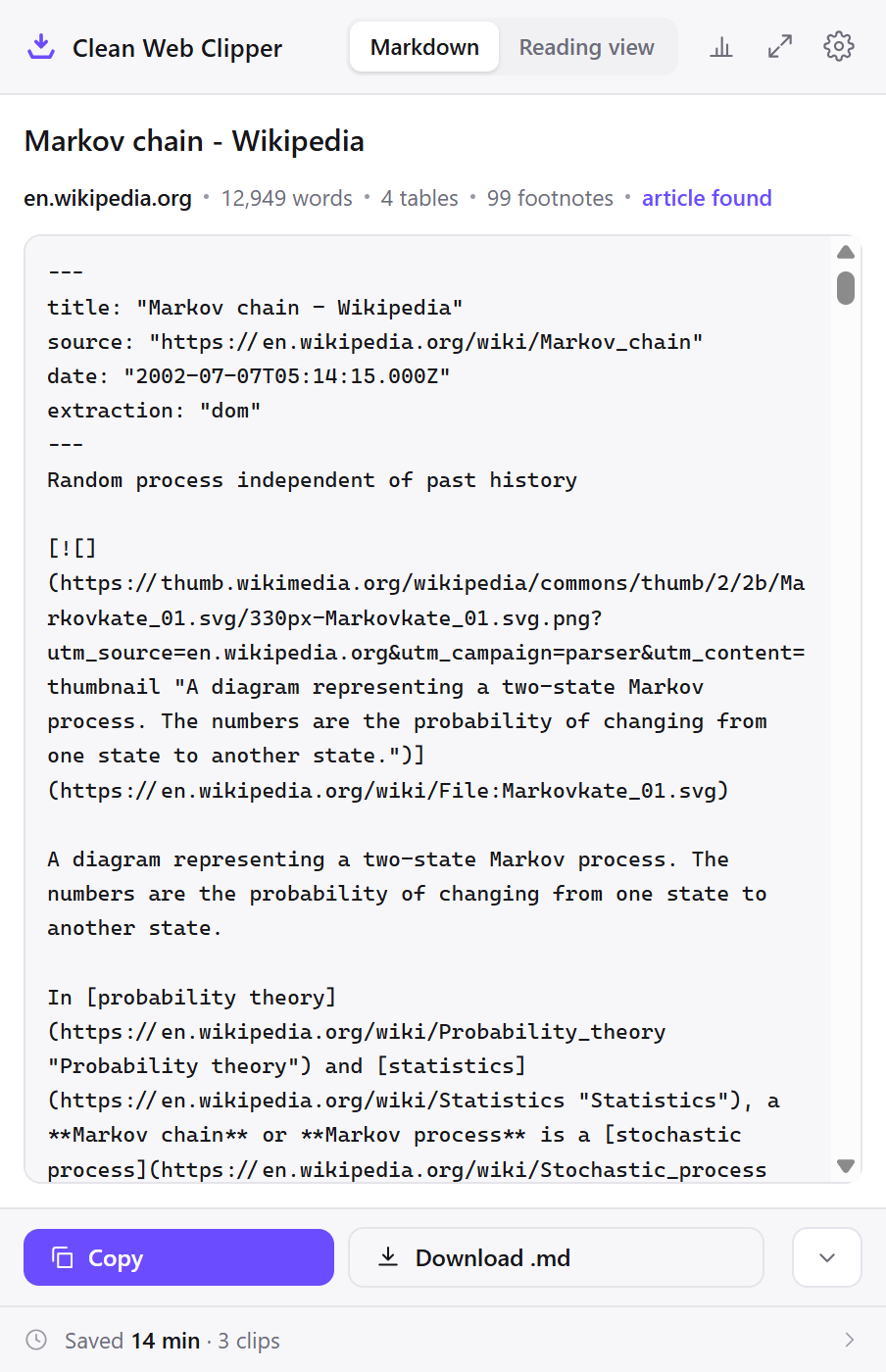
---
title: "Faster! Louder! Brighter! How the attention economy overwhelmed children’s TV"
source: "https://www.theguardian.com/news/2026/sep/17/faster-louder-brighter-how-the-attention-economy-overwhelmed-childrens-tv"
author: "Natalia Kucirkova"
date: "2026-09-17T04:00:39.000Z"
extraction: "dom"
---
Photograph: Guardian Design/Getty Images/Netflix/Fantorangen/Ludo Studio/Zach Hyman/ ZUMA Press, Inc./Apple TV

Does your child’s favourite show give them a chance to reflect, or does it move too quickly for its lessons to sink in?

-   A version of this piece was originally published on [Aeon](https://aeon.co/) as [The bombarding of childhood](https://aeon.co/essays/its-not-just-screen-time-kids-are-bombarded-by-hectic-media)


By [Natalia Kucirkova](https://www.theguardian.com/profile/natalia-kucirkova)
…
Set it up for a commission
One folder per piece, and every clip in it carrying its own attribution. The settings that matter are the ones that make the folder handable to somebody else.
- Make a research folder for the piece,
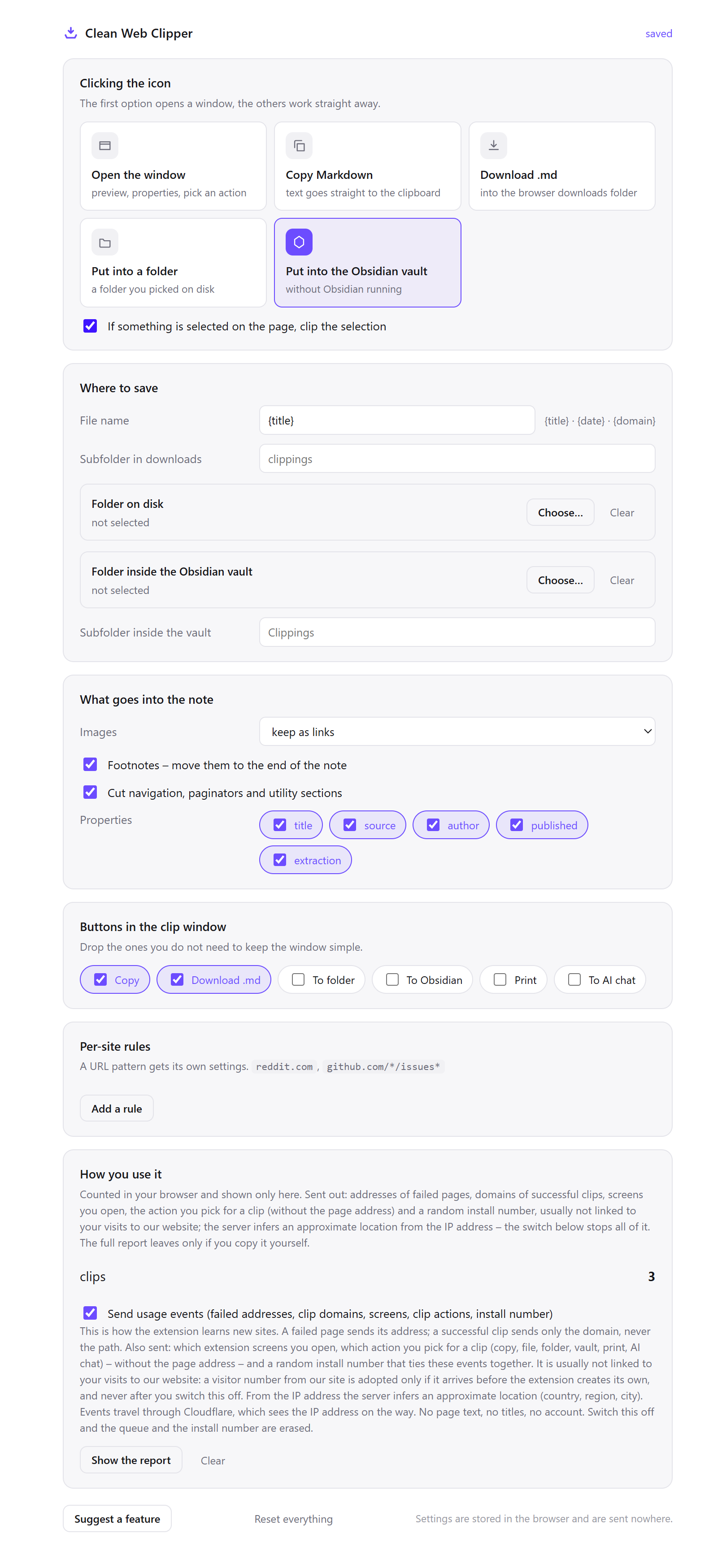
pieces/baltic-charts/sources, before you start reading. Sourcing collected into a folder that already exists is sourcing; collected afterwards it is archaeology. - Open Options from the extension icon, in Where to save set Folder on disk to your research directory, and put the piece’s name in Subfolder in downloads – despite its name, that field also applies to the folder on disk. Changing that one field is how you switch commissions later.
- Set the filename template to
{date}-{title}. That date is the publication date the page declared, or the day you clipped if it declared none, so the folder sorts by when the pieces came out. - Under Properties, turn on every field.
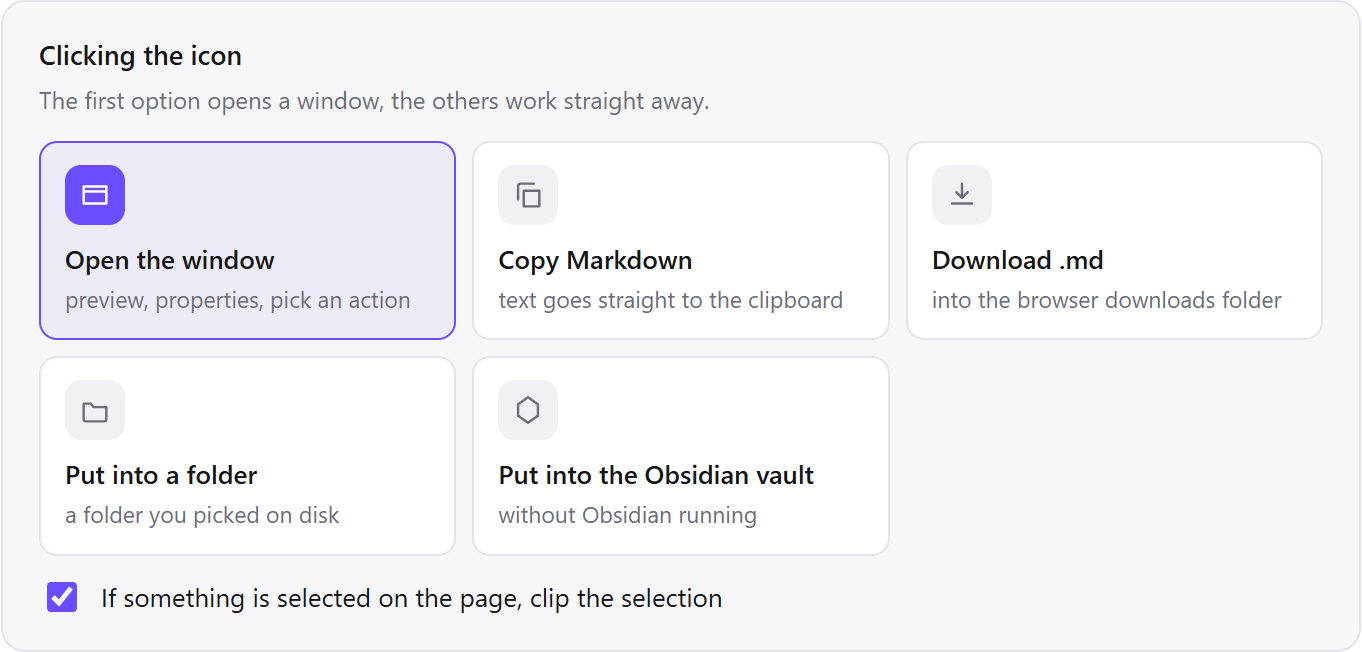
authoranddateare the two that make a clip quotable, andsourceis the one a fact-checker will actually click. - Leave the icon click as the preview window. One look at it shows whether the byline came through, and a wrong byline is the error that survives all the way into print.
- When only a passage matters, select it on the page and then clip – the window opens on the selection, and a strip at the top confirms the selection was taken.
- Clip the page the day you read it, not the day you write. Pages are edited quietly, and the capture you did not take is the one the editor asks for.
Which settings suit research you can hand over?
For research you hand over, every Clean Web Clipper setting passes one test: a stranger with the folder could verify a quotation without asking you anything.
| Setting | Value | Why this value here |
|---|---|---|
| Where to save | One subfolder per piece | Sourcing is per commission, and a shared folder is what a fact-checker can be given |
| Filename template | {date}-{title} | Sorts pieces by publication date, or by clip day where a page declares no date |
| Properties | All fields on | author, date and source are the attribution; the rest is context |
| Icon click | Preview window | One look to confirm the byline, before a wrong one gets into the draft |
| Images | Keep as links | A photo credit is often only findable from the image URL |
| Selection | Select the passage, then clip | A long feature quoted for one paragraph does not need to be kept whole |
| Per-site rule | Sites you use constantly → their own subfolder | Background reading and primary sources are different piles at the fact-check stage |
…
But the more Carson studied and wrote about nature, the more cautious she became of humanity’s rampant quest to dominate it. Witnessing the devastation of the atomic bomb awakened her to the unintended consequences of science unmoored from morality, of a hysterical enthusiasm for technology that deafened humanity to the inner voice of ethics. In her 1952 acceptance speech for the John Burroughs Medal, she concretized her credo:

> It seems reasonable to believe — and I do believe — that the more clearly we can focus our attention on the wonders and realities of the universe about us the less taste we shall have for the destruction of our race. Wonder and humility are wholesome emotions, and they do not exist side by side with a lust for destruction.
…
See three moments in a piece
Attribution matters at three points in a piece: when a quoted page has since been quietly reworded, when the sourcing has to be handed to a fact-checker who was not in the room, and when six pieces of background reading have to be searched at once before a call. A dated file settles all three.
The quote whose page has been rewritten
You clipped a company statement in November and quote it in a February draft. The page still exists and no longer says that – the wording was softened, with no correction note and no timestamp on the change. Your file has the original sentence, the URL and the date the page declared for itself.
Clip the page again and any diff tool shows the two versions side by side. That is a different claim from “the page said this” – it is “here is what I captured, and here is what is there now” – and it is a claim you can put in front of an editor.
Handing the sourcing to somebody else
The fact-checker gets the folder. Each file opens in any editor with the passage, the byline, the publication date and the address in the first lines, so the checks that would have been questions to you are lookups they can do alone.
This is where screenshots fail hardest. A picture of a page carries no URL, no date and no text a checker can search, so every screenshot in a research folder becomes a message asking where it came from.
Background before an interview
Six pieces of background reading, clipped into the piece’s folder the evening before. During the call you search the folder rather than eight open tabs, and the search covers the words in all six at once, including the two behind subscriptions.
Because the files are text, that search costs nothing and works with the wifi off in a building with no signal. The tabs would have gone stale, been reloaded, asked for the consent banner again, or logged you out.
How does it compare to the usual research habits?
Nothing here is a bad habit – each of these is somebody’s working method. What differs is what survives to the fact-check.
| How it is done now | What you get | What it costs |
|---|---|---|
| Bookmark the page | A pointer, instantly | It points at whatever the page says today, not what it said when you read it |
| Screenshot the passage | The words, visually | No URL, no date, no searchable text, and nothing a checker can verify alone |
| Paste into a research document | The text, in one place | Site furniture comes with it and the attribution does not |
| A read-later service | A clean copy, synced | Depends on the service continuing to exist and to let you export |
| Print the page to PDF | A fixed record of the layout | Consent banner included, text not searchable across a folder, no metadata header |
| Clean Web Clipper | Text, byline, date and address in one file | No layout, no screenshots, and no third-party proof of when you captured it |
What happens when a clip is not quotable?
Four things make a Clean Web Clipper clip unusable as a quote: no author line because nothing survived the byline filter, a metered paywall that only rendered a teaser, a consent dialogue that blocked the article entirely, or confusion between the capture date and the publication date. Each has a fix. The extension clips what the browser has rendered at that moment, so most fixes happen on the page before you clip.
There is no author line
The page states no byline the extension recognises, or the byline sits in markup indistinguishable from a section heading. Author extraction reads structured data and byline markup and then filters the known false positives (headings, publication names, button labels) and when nothing survives that filter the author line is left out rather than filled with the first bold string on the page. Add it yourself; it is a text file.
Only the first three paragraphs came through
A clip that stops after three paragraphs usually means a metered paywall – the page genuinely rendered a teaser and loaded the rest only for a session it did not think you had. It can also be lazy loading, where the body arrives as you scroll. Scroll to the end of the article, confirm the last paragraph is on screen, and clip again. The extension captures what the browser has rendered at that moment.
The article never appeared behind the consent dialogue
Some sites render nothing at all until consent is given, so there is no article in the DOM to extract and the extension will say so. Answer the dialogue however you normally would, let the page render, then clip. The consent bar itself is removed from the clip either way.
The filename has a date but the frontmatter has none
That means the page declared no publication date. {date} in the filename uses the publication date when the page declared one, so the two match; when it declared none, the frontmatter has no date line and the filename falls back to the day you clipped. The clip day is not recorded anywhere else, so if you need both dates, note the capture day yourself.
What does Clean Web Clipper not keep for a writer?
Clean Web Clipper does not archive the page as it looked: no screenshots, no layout, no assets. It does not summarise or paraphrase. Images are kept as links to the original site, so they break when that site does. And when a page carries no author or no date, the line is left out rather than filled with a plausible guess.
The article text is converted, not edited.
What does a clip keep intact?
Does it keep the author? When the page states one. Clean Web Clipper reads structured data and byline markup and filters the false positives (section headings, publication names, button labels) rather than putting the first plausible string into the field.
What about articles behind a subscription I pay for?
Can I keep the images?
Does it change the wording?
Is it free?
What about proof, rights and repeats?
Do italics and links inside a quotation survive? Yes. Bold, italic, links, inline code and lists map to their Markdown equivalents, and a quotation marked up as a blockquote stays a blockquote – so a passage that was marked as somebody else’s words still looks like somebody else’s words in your file. A short pull-quote set in a sidebar element (aside) may be cut with the sidebar.